How to Type Emoji Faces on iPhone, Android, Windows & Mac
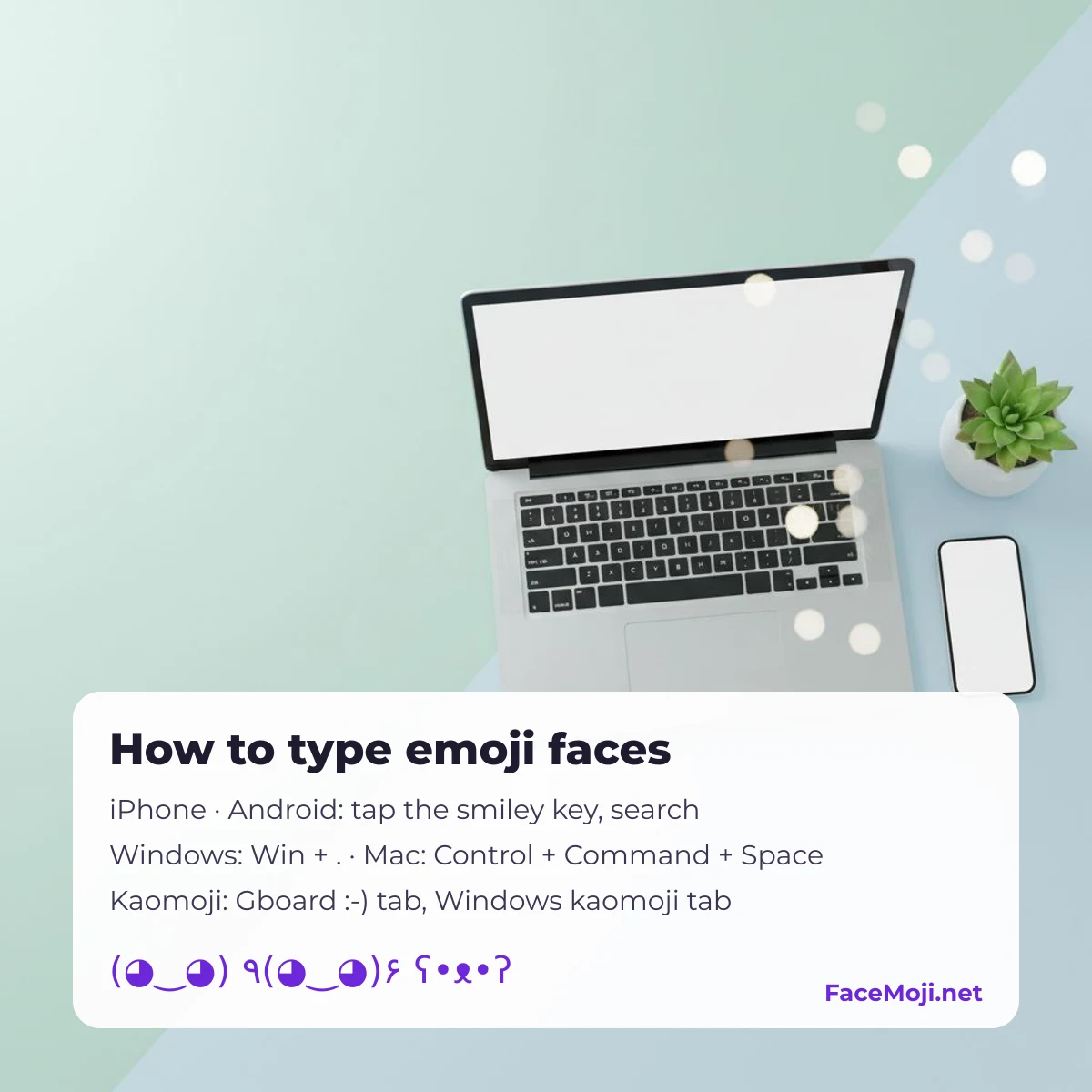
To type emoji faces, open the emoji keyboard on your iPhone or Android phone, press Windows key + period (.) on a PC, or Control + Command + Space on a Mac, then search a word like “smile”. Text faces (kaomoji) like (◕‿◕) are built into Gboard and Windows, or copy them below.
20 emoji faces and kaomoji to copy right now
Tap any face to copy it, then paste it where you are typing.
| Emoji face | Unicode name |
|---|---|
| grinning face U+1F600 |
|
| smiling face with smiling eyes U+1F60A |
|
| face with tears of joy U+1F602 |
|
| U+1F979 | |
| smiling face with heart-shaped eyes U+1F60D |
|
| sleeping face U+1F634 |
|
| thinking face U+1F914 |
|
| loudly crying face U+1F62D |
|
| smiling face with sunglasses U+1F60E |
|
| upside-down face U+1F643 |
How to type emoji faces on iPhone and iPad
- The Emoji keyboard is on by default. If it is missing, go to Settings › General › Keyboard › Keyboards › Add New Keyboard › Emoji.
- In any text box, tap the smiley (or globe) key below the keyboard.
- Use the search field at the top of the emoji keyboard and type a feeling such as “laugh” or “cry”.
- For kaomoji, add the Japanese – Kana keyboard, switch to it and tap the ^_^ key: it lists ready-made text faces.
- To save your own face, go to Settings › General › Keyboard › Text Replacement, tap +, paste the face as the phrase and type a shortcut such as “shrug”.
How to type emoji faces on Android (Gboard)
- On Gboard, tap the smiley key (on some phones press and hold the comma or Enter key).
- Search a word in the emoji panel, or scroll the Smileys group.
- Gboard also has a text-face tab marked 🙂 with kaomoji such as ¯\_(ツ)_/¯.
- To add your own face as a shortcut, open Gboard settings › Dictionary › Personal dictionary, choose your language, tap + and paste the face with a shortcut.
Samsung Keyboard and other keyboards have similar emoji panels; names of the menus differ by phone.
How to type emoji faces on Windows 10 and 11
- Press the Windows key + period (.) or Windows key + semicolon (;) in any text box.
- The emoji panel opens; type a word to search, or open the kaomoji tab for text faces like ( ͡° ͜ʖ ͡°).
- Click a face to insert it.
How to type emoji faces on Mac
- Press Control + Command + Space (or the Fn / Globe key, if it is set to show emoji) in any text field.
- Search a word in the Character Viewer and click a face.
- For kaomoji, save them in System Settings › Keyboard › Text Replacements.
Steps follow Apple Support, Gboard Help and Microsoft Support pages, checked 12 October 2026. We have not added screenshots yet; menu names can differ slightly between OS versions.
Do you need a kaomoji keyboard app?
Usually not: iPhone (Japanese – Kana keyboard), Gboard and Windows already include text faces, and text replacement lets you save your favorites. Third-party keyboard apps can add more, but on iPhone they ask for “Allow Full Access”, which lets the keyboard send what you type to its developer. If you only want a few faces, copying them from a page like this or saving shortcuts is the safer choice.
How to make your own kaomoji
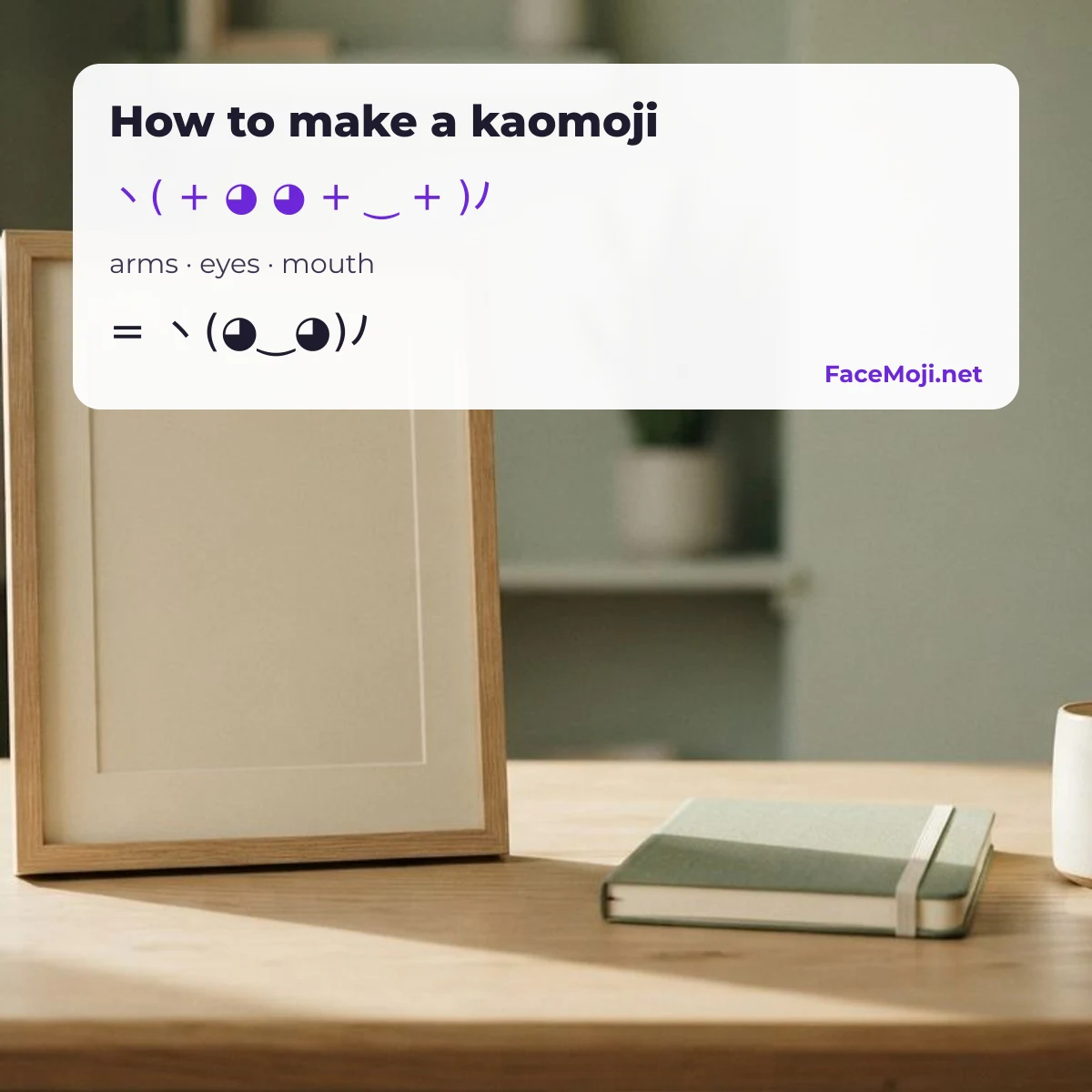
A kaomoji is built from three parts: arms (or face edges), eyes and a mouth. Pick each part below to build one and tap it to copy.
| Part | Common characters |
|---|---|
| Arms, face edges | ( ) ヽ ノ ٩ ۶ ʕ ʔ っ |
| Eyes | ◕ • ^ ╥ ಠ ˘ ⊙  ̄ |
| Mouth | ‿ ω ▽ ᴗ _ ﹏ ε д |
| Extras | ✿ ♡ ✧ 。 ゚ |
More kaomoji by feeling
Happy and excited
Sad and crying
Love and hugs
Shrug, annoyed, sleepy
Animals
Characters kaomoji are made of
Copy single parts to build your own faces in any app.
Emoji face combos
Name styles with faces
Put a face before or after your name for a bio, a game or a chat name. Swap in your own name.
Why emoji faces show up as boxes
- Old system font: new emoji only appear after an OS update; older phones draw a box or a question mark.
- App filters: some name fields and games remove or block emoji and rare symbols.
- Missing script: kaomoji parts like ಠ (Kannada) or ʕ need fonts for those scripts; most phones have them, very old ones may not.
Fix: update the OS, try another app, or swap the rare character for a common one (ಠ_ಠ → •_•).
Looking for faces by feeling instead? Browse all emojis grouped by mood.
Suggest a face
Found a shortcut that works on your phone, or a face we should add? Email [email protected] with the face, your device and OS version. The FaceMoji editorial team reviews every suggestion; approved faces and tips join this page with the date they were added.
FAQ
Is there a kaomoji keyboard on Android?
Yes. Gboard has a 🙂 text-face tab inside its emoji panel, and you can save your own kaomoji as shortcuts in its personal dictionary.
How do I get kaomoji on my iPhone keyboard?
Add the Japanese – Kana keyboard and tap its ^_^ key, or save your favorite faces in Settings › General › Keyboard › Text Replacement.
How do I type emoji faces on a computer?
On Windows press Windows key + period (.); on a Mac press Control + Command + Space. Both panels have a search box.
How do you make a kaomoji?
Combine arms or face edges, two eyes and a mouth, for example ヽ( + ◕ ‿ ◕ + )ノ. Use the builder above to try combinations.
FaceMoji.net is independent and not affiliated with Unicode, Apple, Google, Samsung, Microsoft or any keyboard app. More faces on the Emoji faces page.
Updated 19 October 2026 · FaceMoji editorial team
Was this page helpful?
One tap tells us what to improve.
Thanks for your feedback!